
Rainmeter Skins
Desktop customization widgets made purely from code.

What is Rainmeter
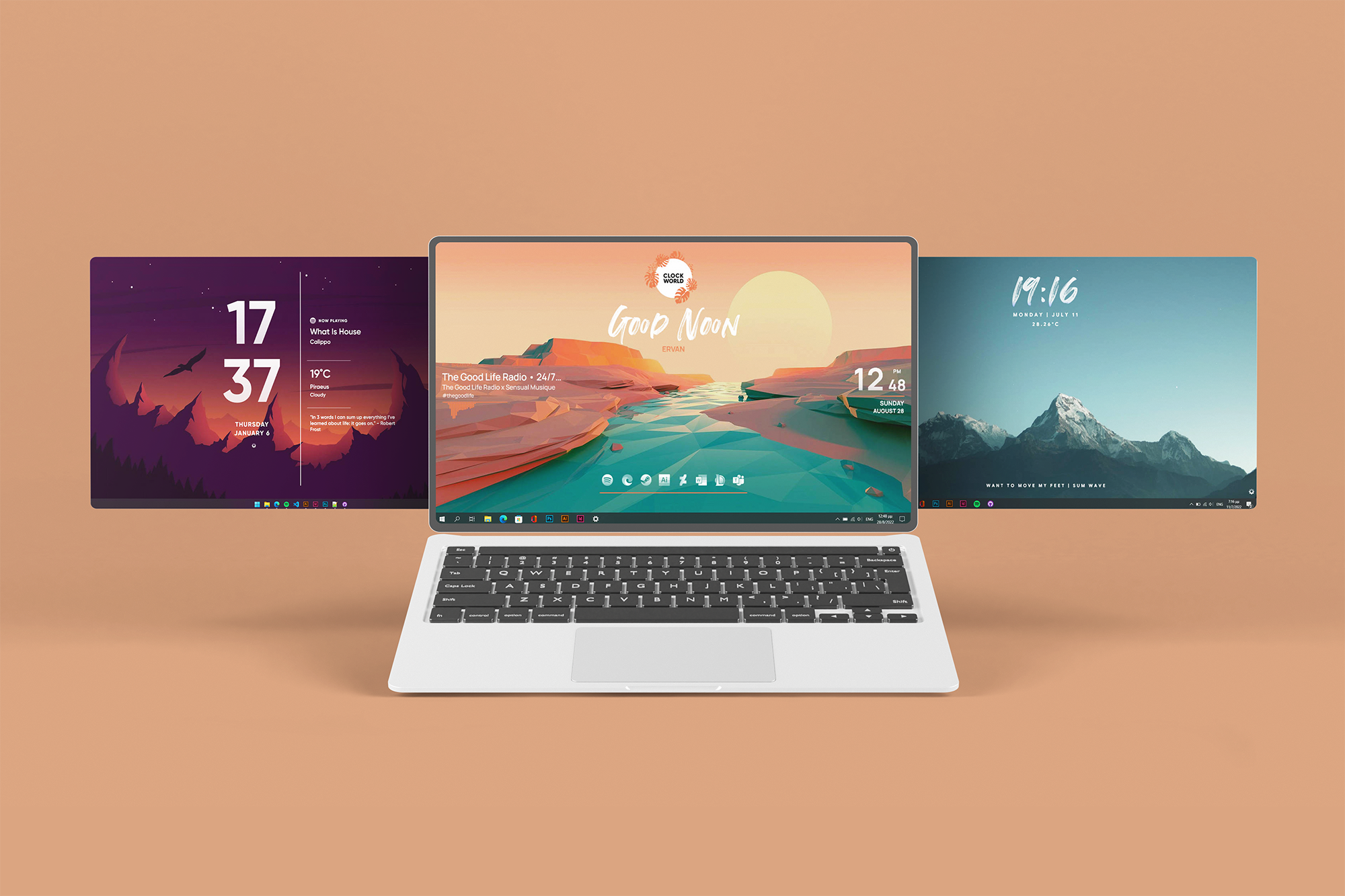
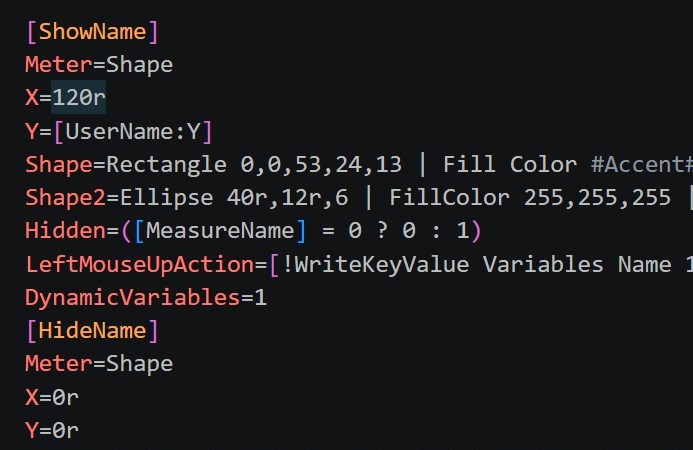
Rainmeter is a desktop customization app for Windows. It helps translate code into widgets that sit on the user's desktop and display all kinds fo information from the computer's resources to the current weather.
Distribution
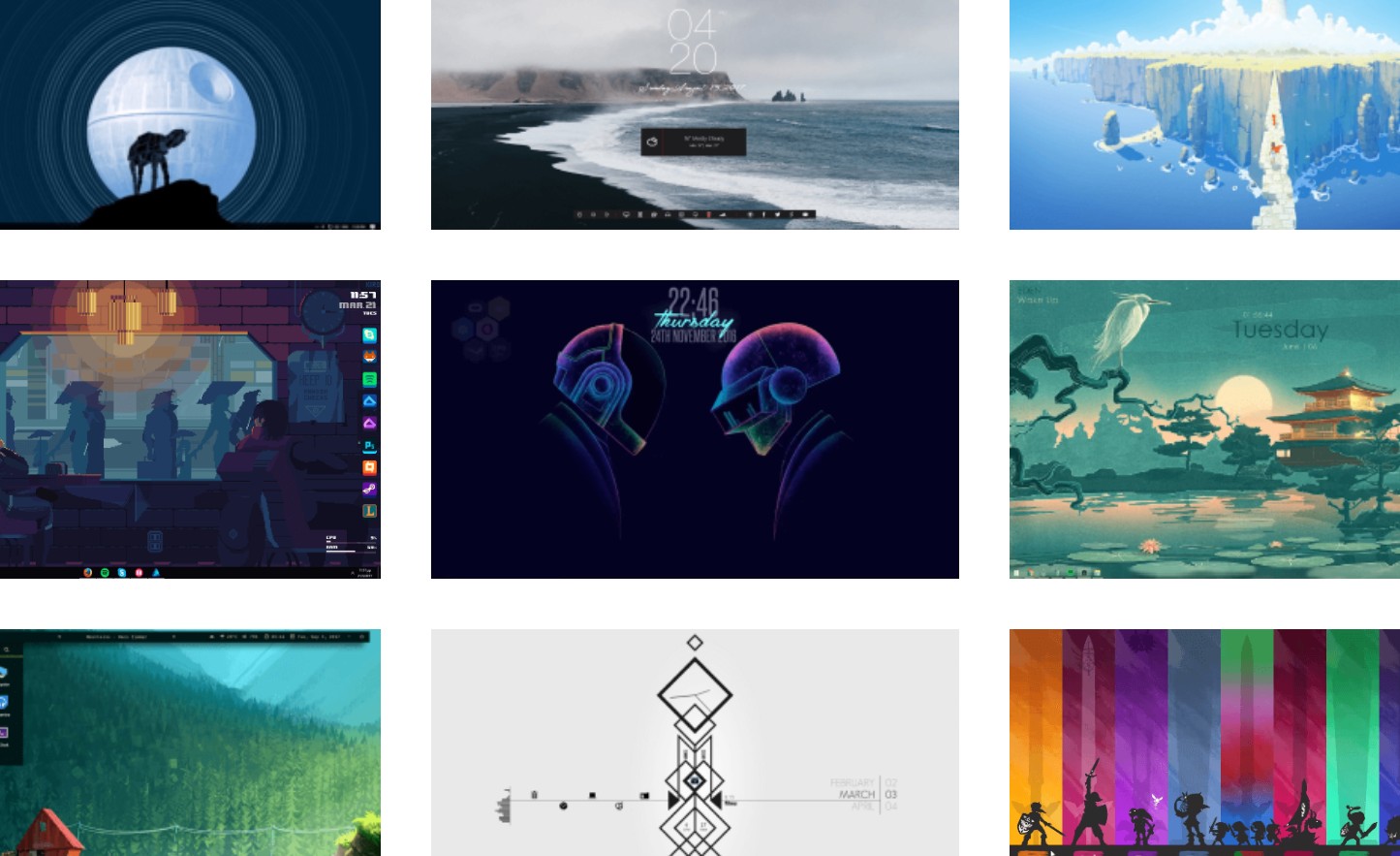
Rainmeter skins are shared on DeviantArt under the alias “OffBalance Creative Team.” DeviantArt is a key platform for digital and handmade art, and it's where most Rainmeter skins are found. While made individually, they’re shaped by others’ work—through design, features, or shared code while Rainmeter’s open-source nature allows creators to build upon one another.

The Skins

ClockWorld
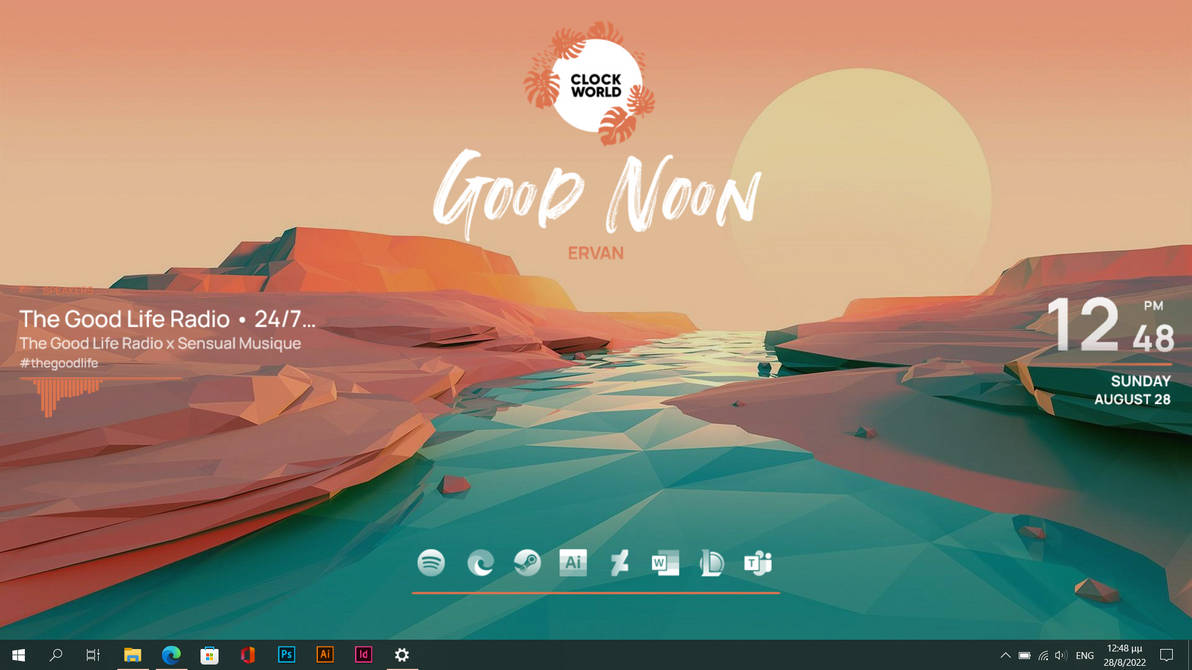
Peaceful colors with smooth graphics and a "tropical" feeling provide comfort and calmness while working on your computer.
750k+
views
1.5k+
favorites
40+
badges
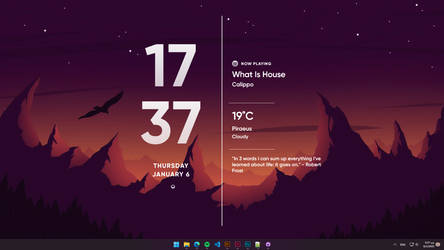
Meenimal
Meenimal was designed with the user in mind. Everything you will need is in front of your eyes. Meenimal is a simple skin for those who don't care so much about productivity but for elegance.
70k+
views
250+
favorites
5+
badges
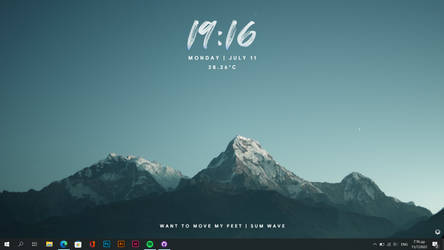
Sparse
Sparse is our simplest skin yet. Elegant design featuring Rainmeter's basic functions - Clock, Date - Time, Weather and Song display. All these accompanied with a user-friendly Settings menu and Over the Air updates!
80k+
views
200+
favorites
Settings
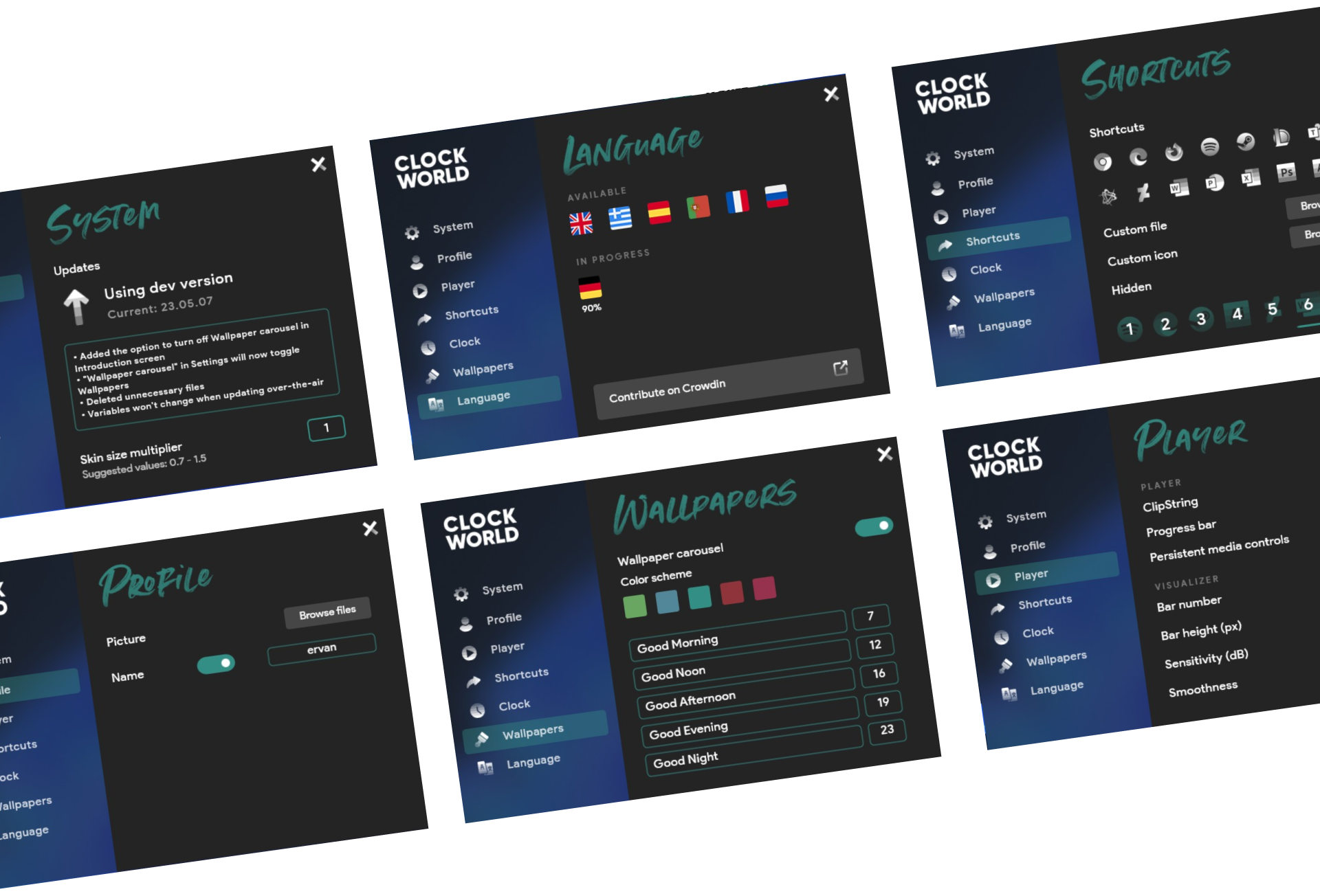
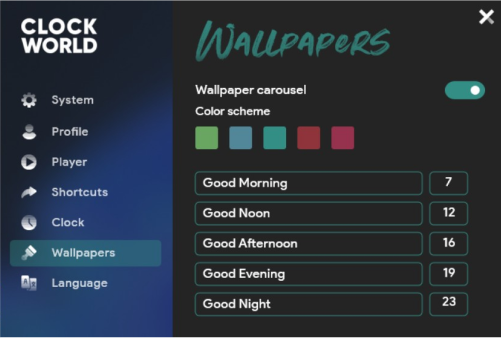
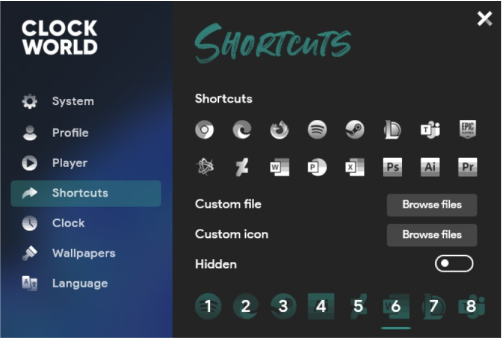
The settings menu is the best example of a good user experience in every application. In clockworld, it enables the customization of the skin in various ways, split into categories. it manages to display a big amount of information organized in a very convenient way. Just like that, clockworld settings menu features consistency along with sleek and user friendly environment despite rainmeter’s restrictions. By using packages created by the community and with the advice of its people, this interface came to life and it’s praised as one of he best Rainmeter settings menus out there.
Design Language
The Settings menu is heavily inspired by he windows 10 Fluent
design system which was a successful story when it came out. The
design is simple and is focused on usability without compromising
on design familiarity, creating a user friendly design. The view
window is split into two parts, the settings categories and the
settings options. Its way of usage is really simple as users are
already accustomed with this type of design from their operating
system. First, the categories are easily recognizable by the
corresponding icon in front of the text for fast reading. The
wallpaper color, described before, works as the main (accent)
color declaring which category is selected. After navigating to
one, users can access the Settings on the right side of the
window. There, depending on the type, can users interact with all
kinds of interface elements such as buttons, text fields and
toggles, Each one of them follows common design rules as follows:
Action buttons: Filled with a light black color with rounded
corners. Provide some kind of action when clicked.
Text boxes: Outlined boxes with the accent color as border.
Enables clicking for entering information.
Toggles: Colored with the accent color when turned on, outlined
with white when turned off.
Every skin has very similar style of Settings menu. This is done
in order to effectively manage adaptability and scalability for
the long term. Despite that, every skin has its own special
settings and thus the Settings changes its content but with
keeping the overall design parameters the same.
Feature: Automatic Updates
Problem
Users have to check for skin updates manually every couple days or weeks, missing out on potential new features.
Solution
Every skin is equipped with an update check system, where users can check if there is an available update and download it through the integrated skin installer just by pressing the Download button in the skin’s Settings menu.
To enable automatic updates, I stored new files in an online database—GitHub—since it manages version history and supports open source projects. I created a PowerShell script that downloads the GitHub repository as a .zip, extracts it, and replaces the old files in Rainmeter’s skin folder. An update checker in the settings compares the current skin version (from a local file) with the latest version (from an online file). If they differ, an update is available. When the “Check for updates” button is pressed, both versions are read, stripped of dots, converted to integers, and compared. This simple system was part of a broader exploration of Rainmeter’s features and scripting with languages like Lua.
The Future
The goal of this feature for the future is to create fully automatic
updates that happen when users open their computer. This will make the
user experience even more seamless, removing the need to check for
updates manually. Due to some limitations of Rainmeter, progress is
slow as I continue researching other ways to integrate this feature.
Another possible idea is to create a skin distribution platform (like
the Google Play Store) where developers can upload their skins and be
eligible for OTA updates. There has been a test in the past creating a
platform like this, but it didn’t move forward due to its workload and
platform limitations.