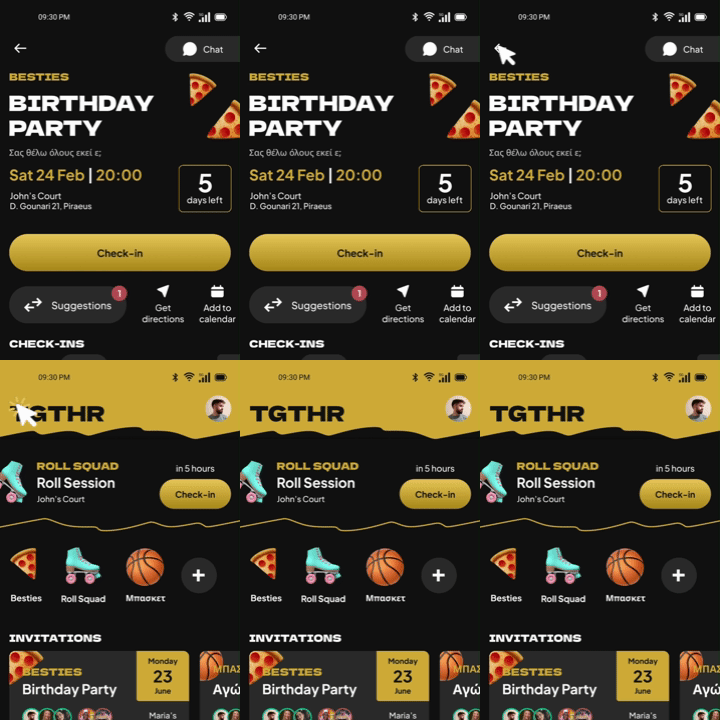
What started as a BA Thesis expanded into an extended UX study on closed friend groups. Together is all you need to gather with your friends!

Problem
Organizing a meetup through chat can become very tedious when everyone proposes their own thing. Some people don’t respond at all, some work and don’t show up at all. The group chat is flooded with questions and you scroll endlessly to find the one picture your friend took of you.
Solution
Together helps groups organize meetups orderly. It can be considered the visual interpretation of a group chat. Instead of long messages and constant scrolling, your friend group can now see everything at a glance when organizing a meetup. Just propose and let everyone else express their opinion within their own time frame.
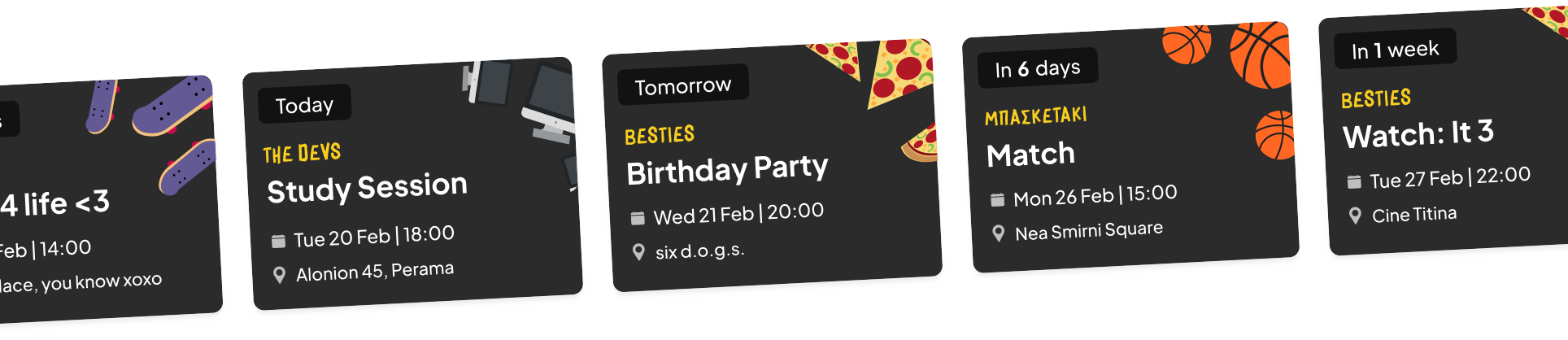
Organized Meetups 🤝
Your meetups in one place, no more lost in endless group chats!
Compete for the 1st place! 🏅
Gather Activity Points by being active to earn exclusive Perks!

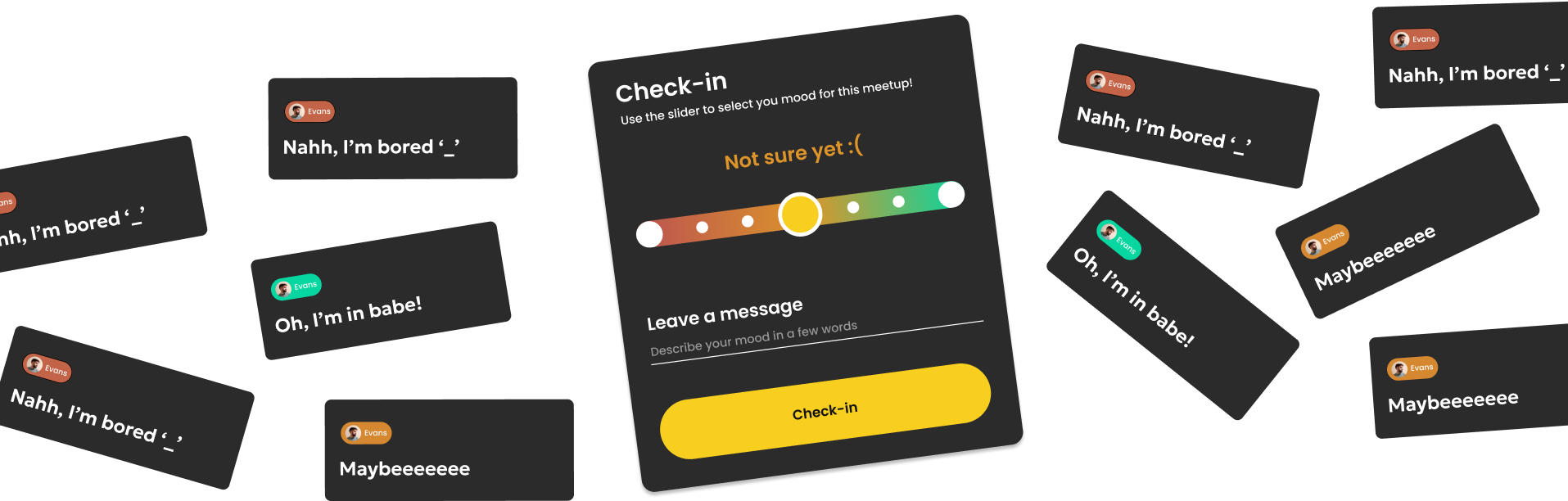
Your mood out loud 😄
Let your friends know where you are and how much time will it take to arrive.
PROCCESS
User Personas
🏆
The Competitor
This person is the life of the party. They will attend every meetup and will be the first to organize everything from a simple night out to a house party with dozens of guests. They want a way to organize their many meetups as they often lose track.
🐺
The Lone Wolf
This type of person doesn’t go out that much, has a small friend group but makes every moment count. They value small gatherings and making memories. They need a place to inform their friends of their rare meetups and make sure they don’t forget.
🛋️
The Couch Potato
It doesn’t matter if you call them, text them, show up at their house, they will always have an excuse to why they don’t answer. Their friends need a way to hang out with them, this type of person can get very funny and open once surrounded by people!
Navigation
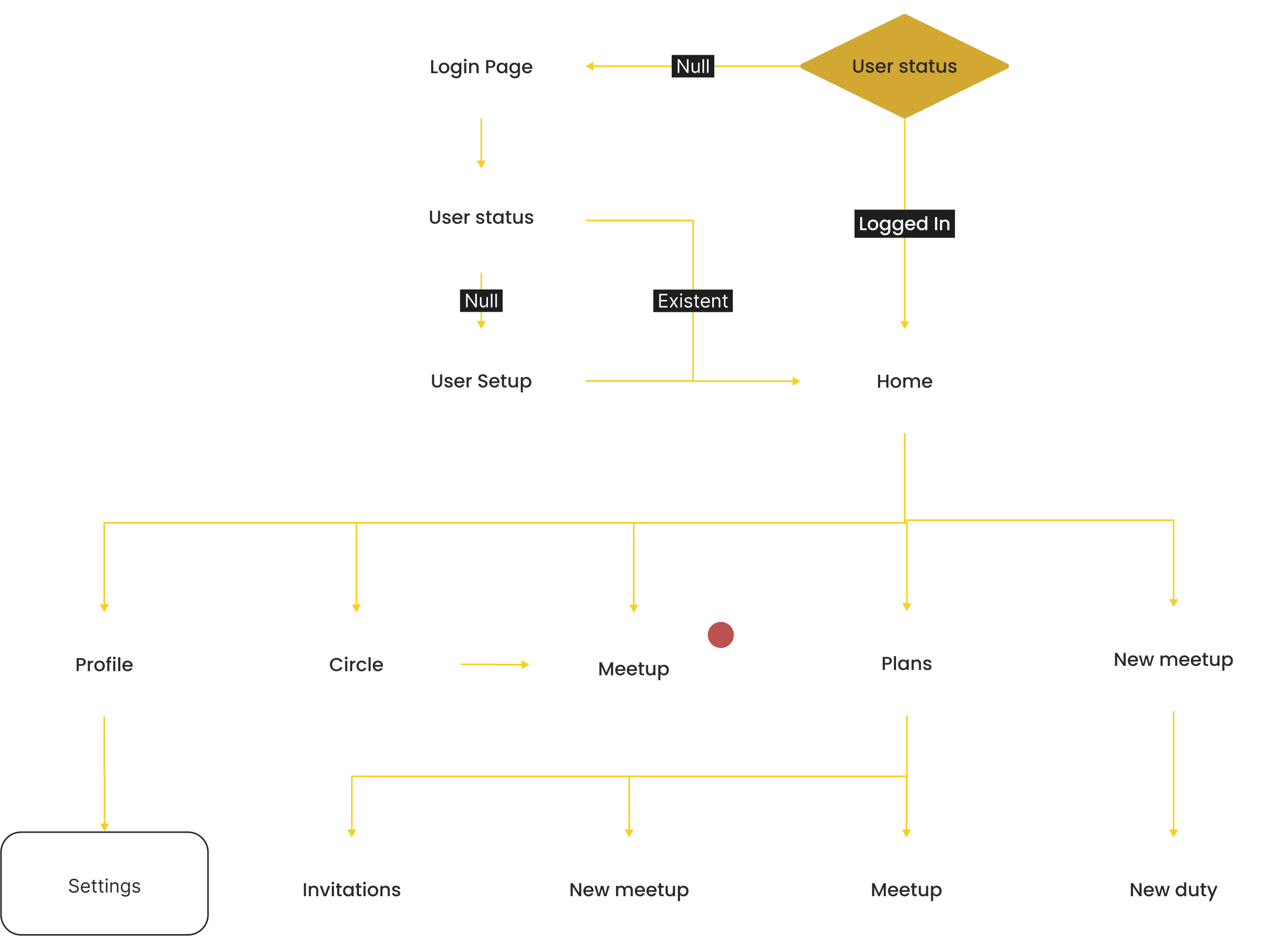
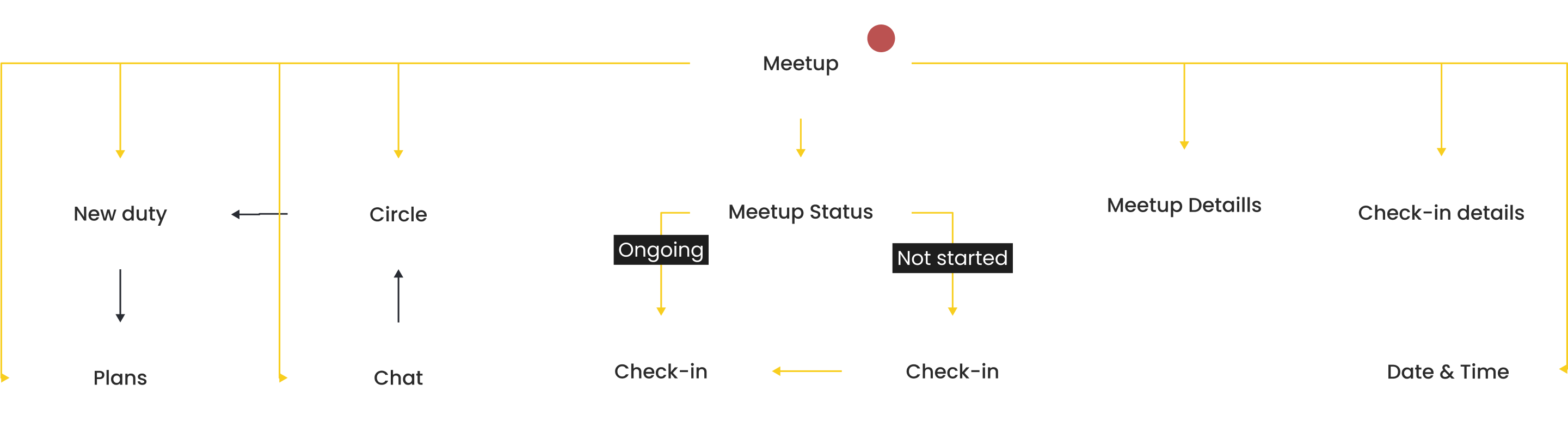
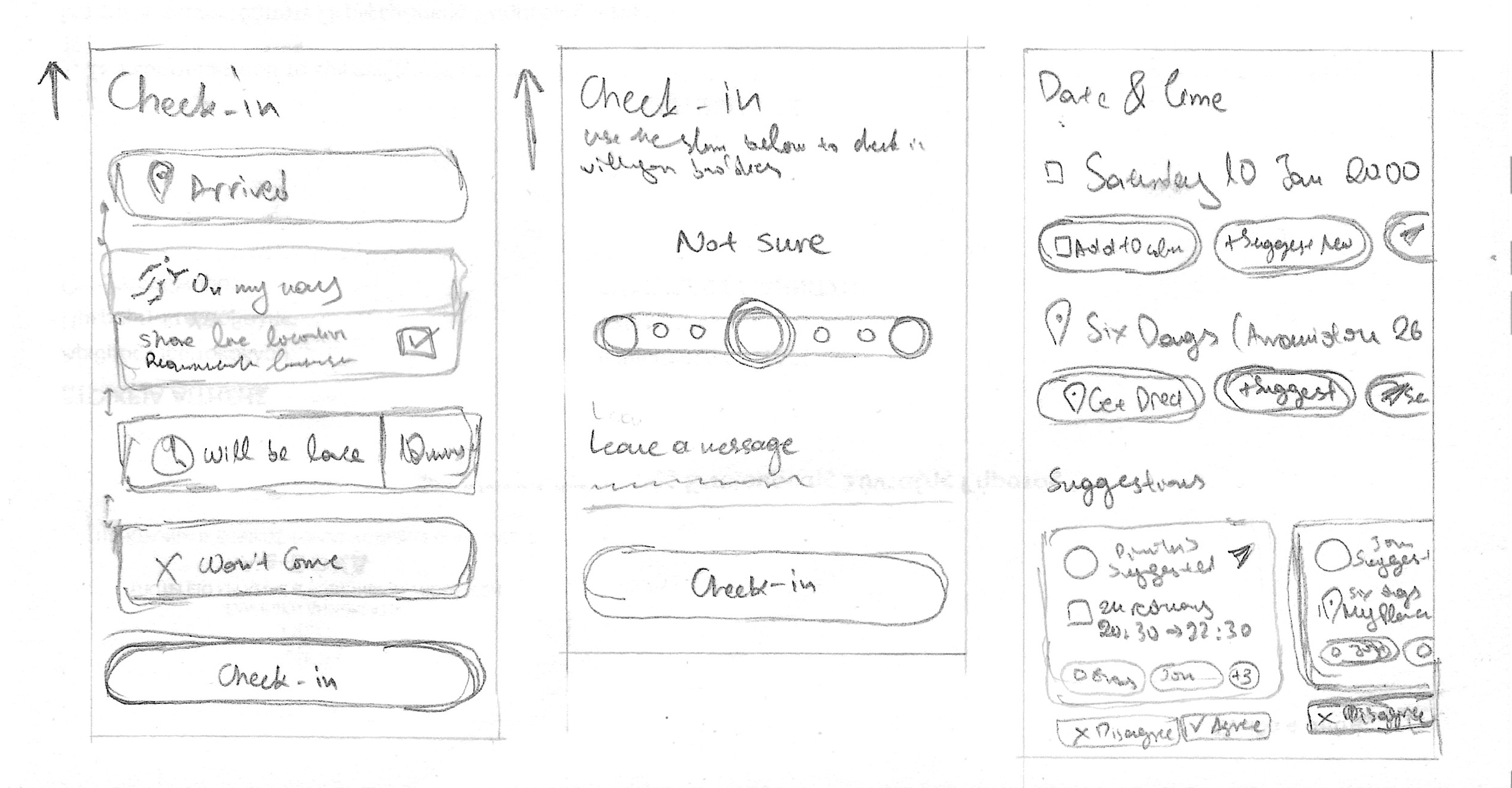
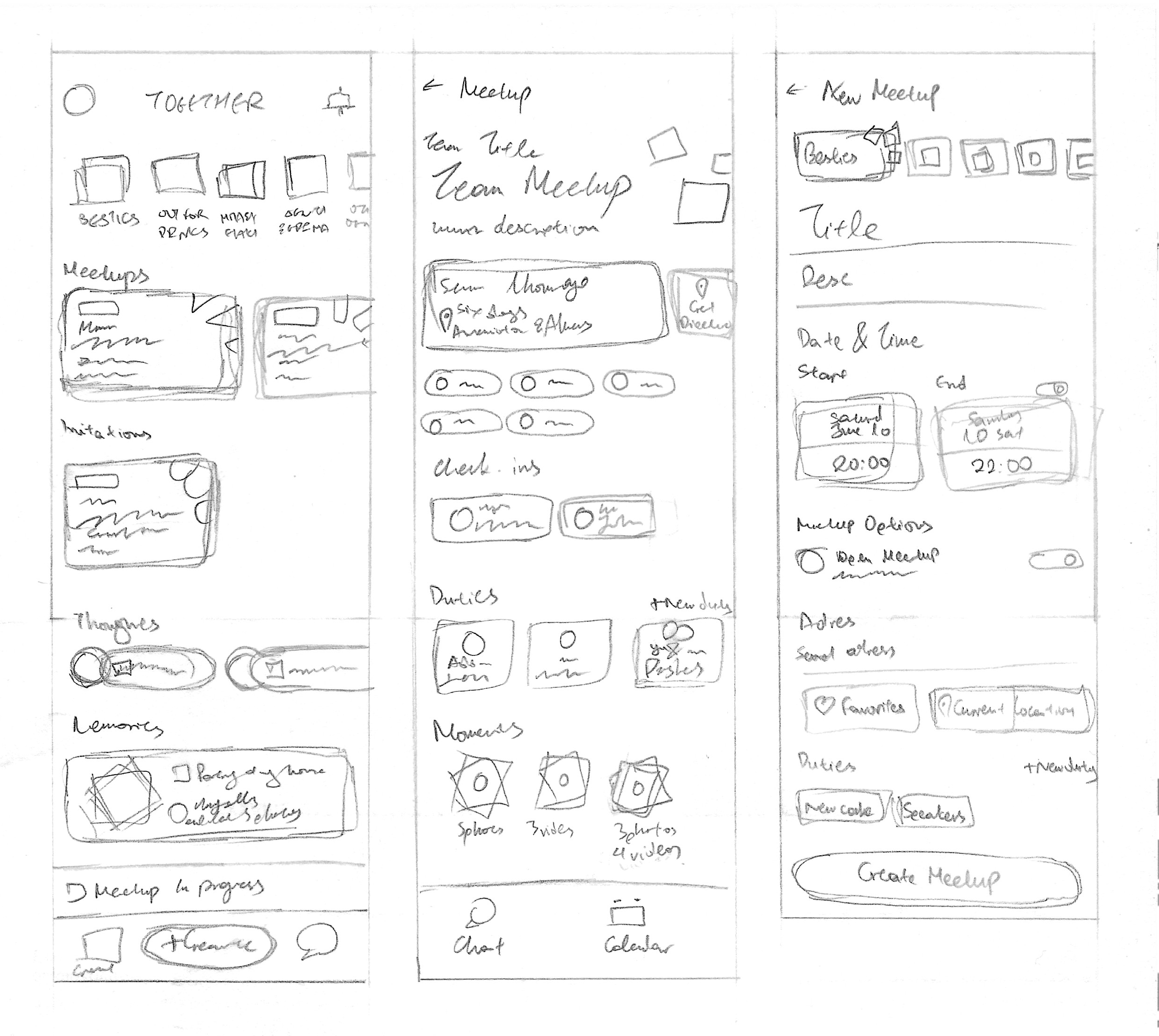
First iterations
Friends & Safety
When creating an app that allows users to create live meetups through phone there is always a degree of danger. Through impersonation, a user can trick another into meeting them pretending to be their friend. That's why 3 approaches were studied, each one with the own benefits and drawbacks with the goal being to ensure maximum safety and as less danger as possible. After careful study the "Contacts only" option offers the maximum safety but also aligns with the app's direction and goal.

In-app Requests
Social-media-like befriending tactics that works successfully when the user wasnts to expand their social circle inside the app by a large factor. useful when adding people in general but ineffective for selective adds of a closer circle and highly unsafe.

Link invites
Link based adding friends works well as users can share a link through messages or by scanning a QR. Much private and controllable method but still lacks impersonation safety.

Contacts only
Adding friends through contacts is inspired by messaging apps like Viber and WhatsApp and only allows user to discover their contacts inside the app. This ensures a user finds only the people they also interact in real life while adding the safety of a phone number which makes fraud extremely difficult.
Gamification & Monetization
Reward is one of the most influencial factors on the user when deciding to come back in the app. In order to keep the user engaged and repeating an intended action, in this scenario hanging out with their friends, the app provides rewards for completeing tasks while creating a sense of competition among users.

Reward
Users gain Activity Points by completing tasks is a strong dopamine releasing action.

Competition
A competition system invites to user to continute taking actions in order to gain points and climb the ranks.

Monetization
Through the Activity Points system, the users can exchange their points for rewards. Sponsors can add their own platform rewards.
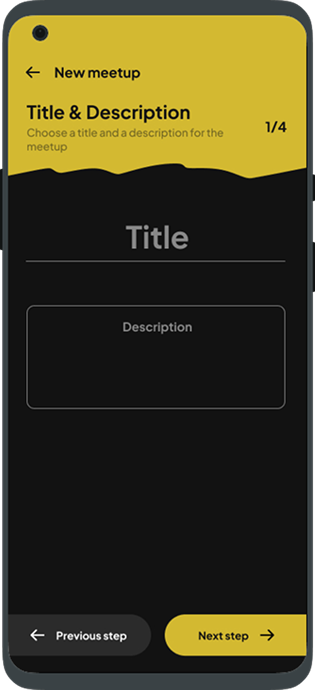
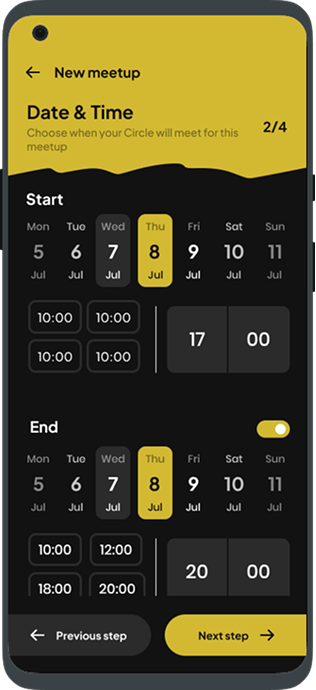
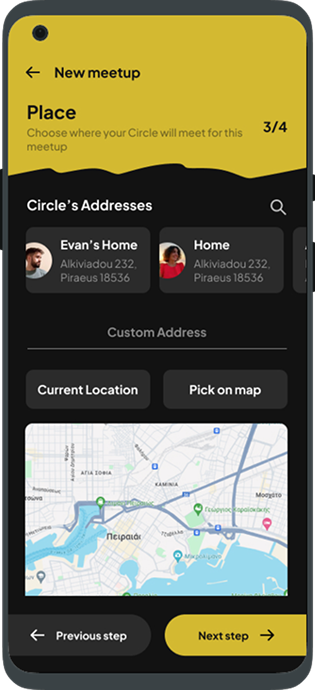
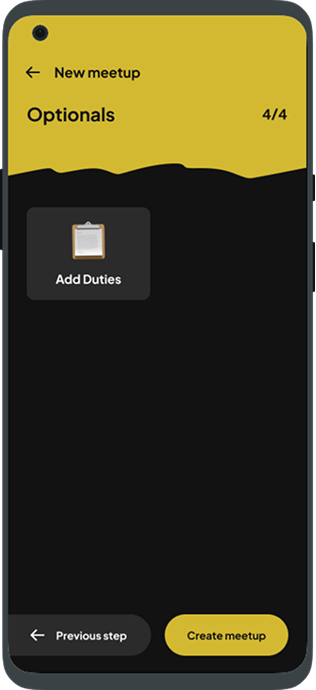
Meetup Creation
The meetup creation screen sequence uses a progress indicator which
motivates the user to complete the task.
Goal-Gradient Effect -
lawsofux.com
Modals
Modals are a clever way to implement new screens without
interupting the navigation flow. They provide new content based on
the screen they were opneded from and they pause the user flow
until they take acion.
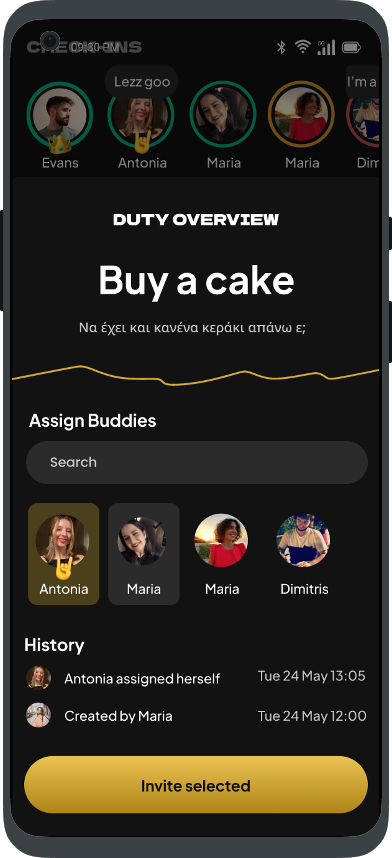
Duty Overview: This screen shows a summary of a created
Duty where users can see more information, assign themselves or
others and see all the past steps from its creation.
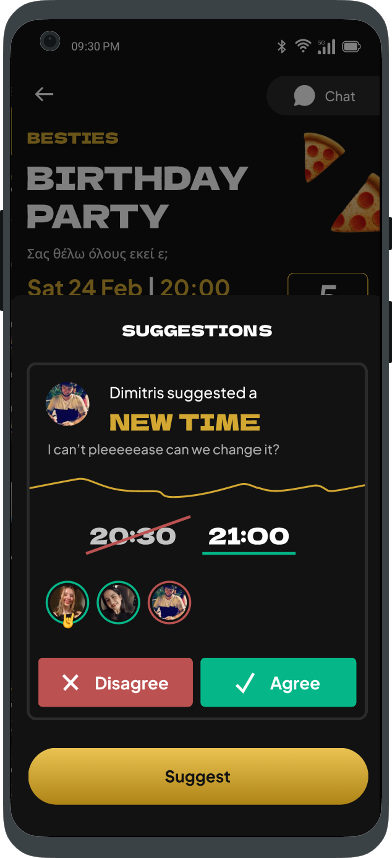
Suggestions: This is where all the suggested meetup changes
live. User can recommend their own changes to the Circle and if
the majority agrees, after a certain time frame, the change will
apply to the meetup.
Tested: Dynamic Navigation Bar
Tested feature that ultimately did not align with the product's navigation direction.
The goal: Make a common UI element more useful by adapting
its content based on the page it would exist.
Why it failed:
As feature development continued, the app's core information
architecture changed and a navigation bar was no longer required.
Some features were completely removed, making it a not-so-useful
feature. –
Leason: Through this failed implementation, I learned that
information architecture is a crucial step in the design process
and that before continuing on designing, the product has to have a
solid list of features that will shape its identity and design.

Tested: Hold back to home
Tested feature that utimately did not align with the prodct's navigation direction.
A dynamic navigation bar adjusts its content depending on the page it is on. Each page has a set of specific important functions that due to the information hierarchy cannot be integrated into a dropdown menu or submenu. Navigation bar changes its character, transforming it from a navigation tool to a menu that is personalized according to the page but is always accessible. In addition to navigating between pages, it contains buttons that relate to the general behavior of the page, such as creating a meetup or a new Circle. In general, the dynamic navigation bar offers a personalized experience of using the application by combining an existing practice with giving it a new life.